Tab Wrapped · 2026
100% local · 0 uploadsA short film about your browser
What youropen tabssay about you.
Export your Chrome bookmarks. Get a cinematic, slightly-too-honest psychological profile in 60 seconds. Shareable. Surprisingly accurate. Entirely private.
100% in your browserno uploadno accountno tracking
your peak hour✦your night-owl percentage✦your dominant day✦the streak you didn't know you had✦the rabbit holes✦the aspirational self✦the longest unbroken obsession✦the receipts✦the tab you opened and never closed✦the digital memory you've been collecting✦your peak hour✦your night-owl percentage✦your dominant day✦the streak you didn't know you had✦the rabbit holes✦the aspirational self✦the longest unbroken obsession✦the receipts✦the tab you opened and never closed✦the digital memory you've been collecting✦
Three steps · Sixty seconds
Get your .html in three moves.
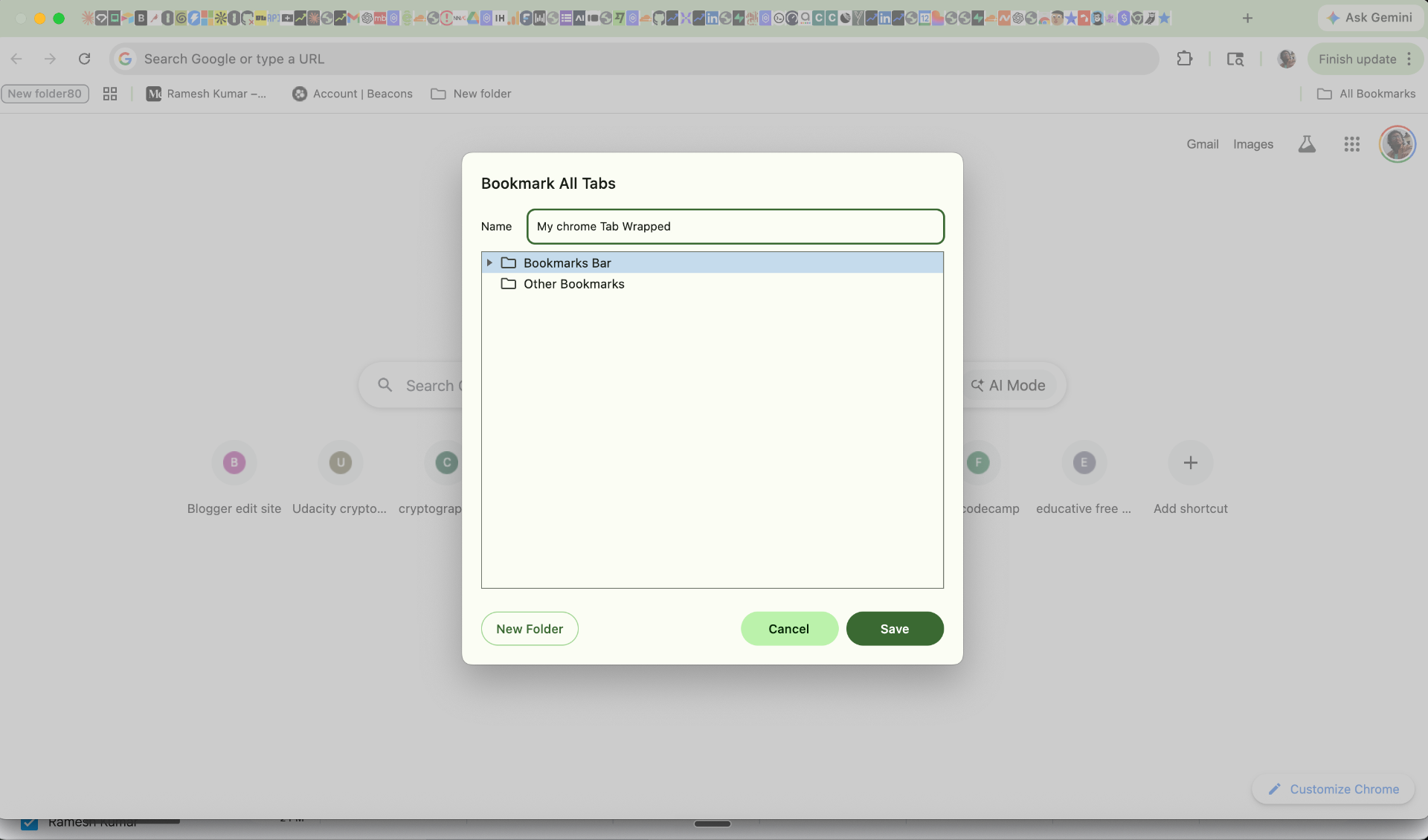
Click Save
01Cmd+Shift+D
Bookmark every open tab
Press Cmd+Shift+D. Name the folder anything. Click Save. All your open tabs are captured in one snapshot.
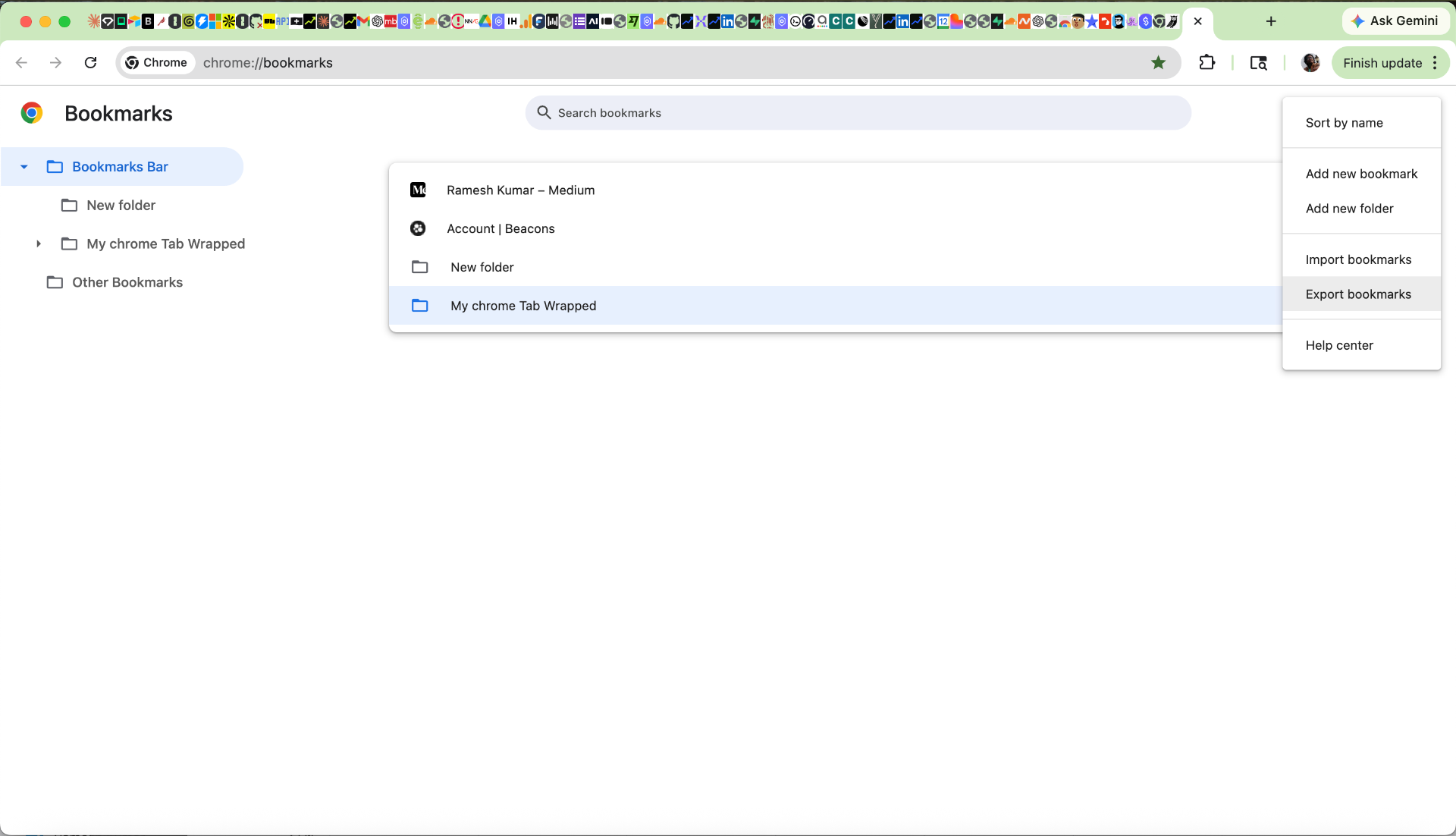
Export bookmarks
Top menu — not folder menu02Cmd+Opt+B
Open Bookmark Manager → Export
Cmd+Opt+B opens the manager. Click the ⋮ at the TOP of the left panel — not inside any folder — and choose 'Export bookmarks'.
drop the .html here
03drag & drop
Drop the .html below
Chrome saves it to Downloads. Drag it onto the dropzone. Nothing leaves your browser — we promise, in the strongest possible terms.
Drop your bookmarks file here
or click to choose bookmarks_*.html
processed in your browser · never uploaded